Deliveries and replays
Use Developer → Webhooks → Messages to inspect events that Paymennt has published.
Each message shows its event type and creation time. Open a message to see:
- The message ID and source event ID.
- The full JSON payload.
- Every delivery attempt, including its outcome, HTTP status, duration, and target endpoint.
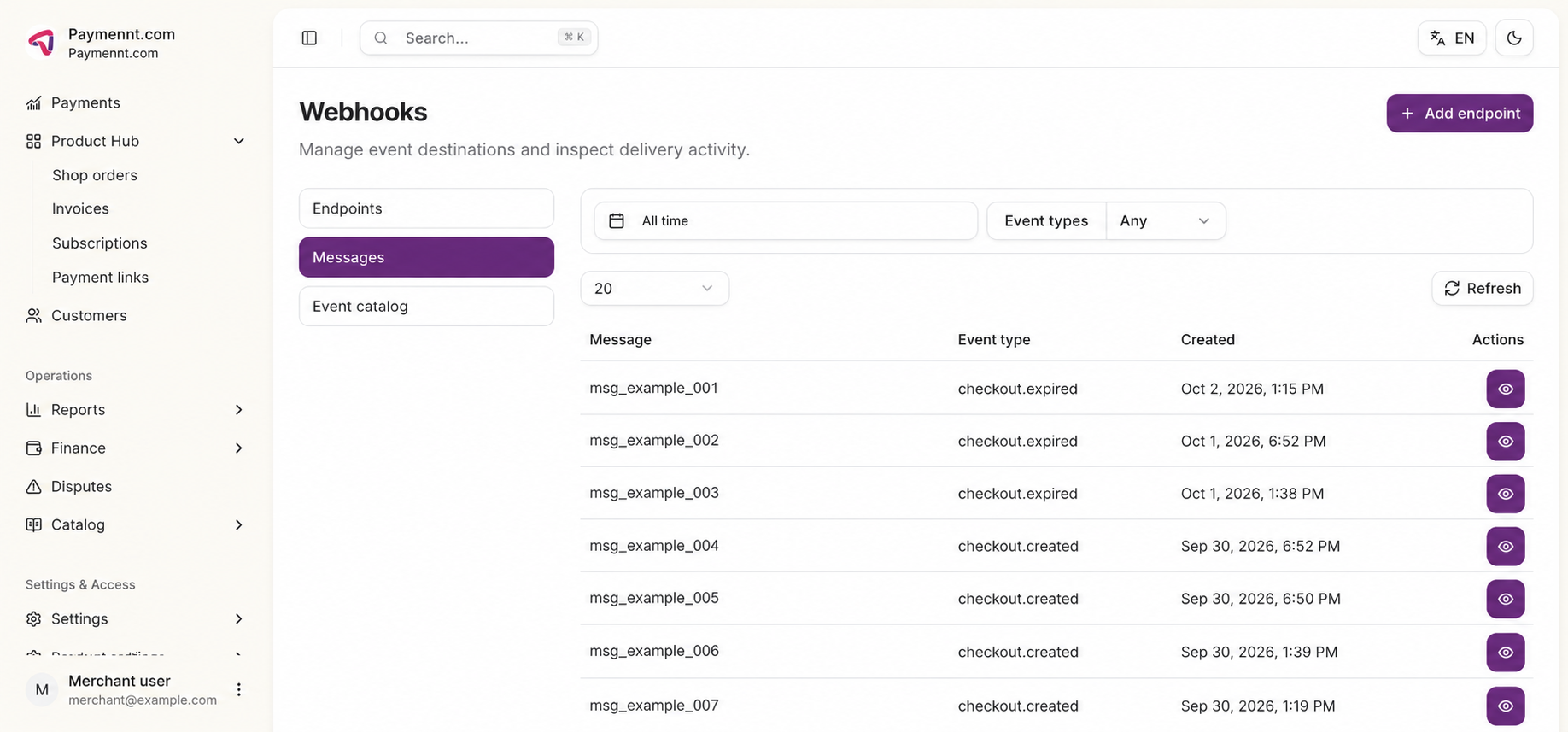
Open an individual attempt to inspect its destination, trigger, HTTP status, and receiver response. This is the primary place to diagnose endpoint failures such as an invalid URL, an unavailable service, or a non-successful HTTP response.
Delivery retries
Paymennt retries failed deliveries. A failed attempt can therefore be followed by a later successful delivery. Use the message's delivery history rather than a single attempt to determine its current state.
Replay a message
To send an existing message again, open the message, open the relevant delivery attempt, and select Resend message.
Resending is an operational action: it sends the event to the endpoint again. Confirm that your receiver is idempotent before using it, and use the original message ID or event ID to prevent duplicate downstream processing.
Send a test event
From an endpoint's detail page, select Send test event to test the receiver configuration. Verify the result in the endpoint's delivery history or in the Messages view.